This property at 9528 Ballagan Court , Bristow, VA20136 has listed by Chris Ann  Cleland but has not been updated for quite some time. Please contact the listing agent and broker for up to date information.
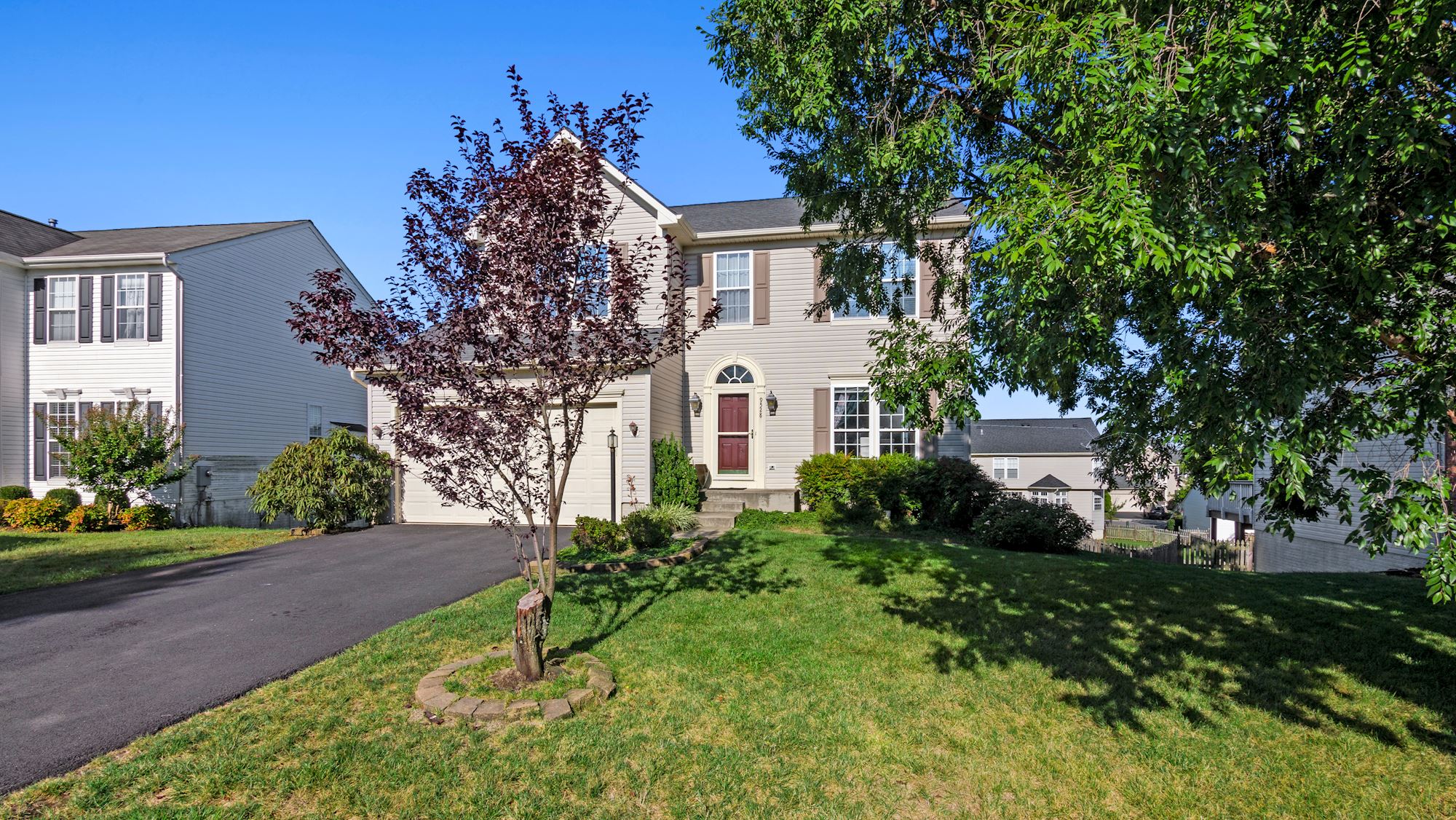
9528 Ballagan Court
Bristow, VA20136

$699,000

Single Family Residential
MLS#: VAPW2037414

5 beds3 full baths1 half bath3769 sqft

Lot: 0.22acres Year built: 2004

Sold

Three fully finished levels and an open floor plan with expansive kitchen that works for your most ambitious meals. Family room & sun room are open to the kitchen, perfect for entertaining. Owner's suite is a a generous size with attached full bathroom. It is rivaled in size by the fourth bedroom across the hall. Fully finished walk out basement updated with brand new LVP flooring also boasts a fifth bedroom & third bathroom. Take in the sunset from the sun room or under the motorized retractable awning that extends to part of the newly refurbished deck. Back yard is fully fenced.

About the Neighborhood

Braemar community amenities include access to two outdoor pools, picnic areas, playgrounds, multiple basketball and tennis courts and walkking trails.  
 
HOA dues include basic cable and high speed internet through RCN as well as trash pick up and professional community management. 

Chris Ann  Cleland

Long & Foster Real Estate
703-402-0037
License: VA License# 0225089470
Listed by: Long & Foster Real Estate

Copyright. RealBird Inc. All Rights Reserved.



Runtime Error

Server Error in '/' Application.

Runtime Error

Description: An application error occurred on the server. The current custom error settings for this application prevent the details of the application error from being viewed remotely (for security reasons). It could, however, be viewed by browsers running on the local server machine.

Details: To enable the details of this specific error message to be viewable on remote machines, please create a <customErrors> tag within a "web.config" configuration file located in the root directory of the current web application. This <customErrors> tag should then have its "mode" attribute set to "Off".


<!-- Web.Config Configuration File -->

<configuration>
    <system.web>
        <customErrors mode="Off"/>
    </system.web>
</configuration>

Notes: The current error page you are seeing can be replaced by a custom error page by modifying the "defaultRedirect" attribute of the application's <customErrors> configuration tag to point to a custom error page URL.


<!-- Web.Config Configuration File -->

<configuration>
    <system.web>
        <customErrors mode="RemoteOnly" defaultRedirect="mycustompage.htm"/>
    </system.web>
</configuration>